Overview
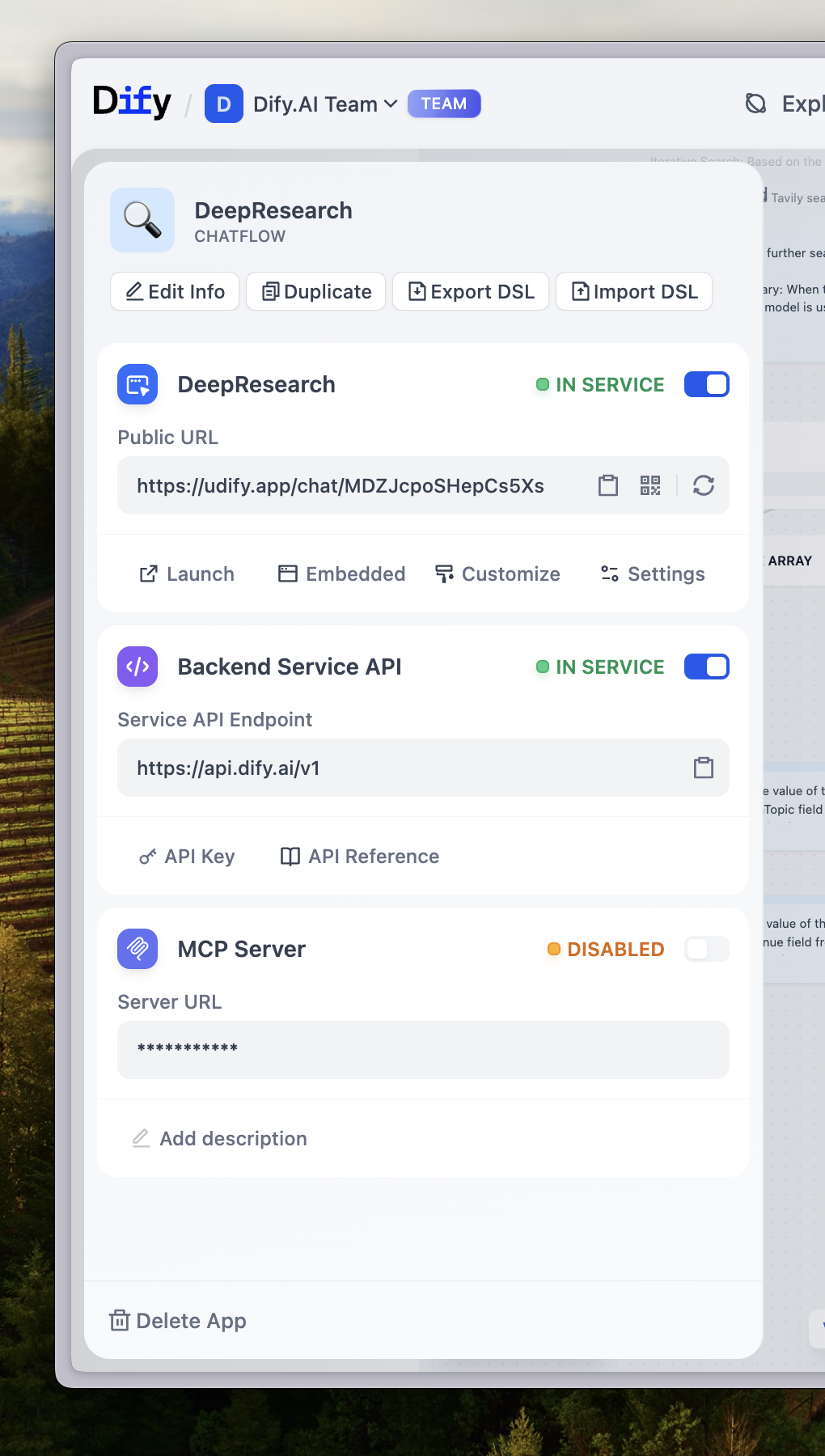 You've built something great in FlexAI. Now let's get it to your users. Every FlexAI application becomes available in multiple ways automatically—choose what works best for your situation.
Start with Web Apps
Your fastest path to sharing is through web apps. These are generated automatically when you create any application and work immediately without setup.
Hit Publish
Click "Publish" in your app to activate the latest version.
Copy the URL
Find your web app link in the publish section.
Share immediately
Send the link to users—they can start using your app right away.
Tip:
Web apps work on any device and automatically adapt to screen sizes. No app store approvals or installation required.
Publishing Options
- Web Apps - Instant, shareable applications. Perfect for testing ideas or serving end users directly.
- API Integration - Build AI into your existing products. Full control over user experience and data flow.
- Embed on Websites - Deploy your web app as chat widgets or inline frames on any website.
- MCP Server - Connect to AI tools like Claude Desktop and Cursor. Great for development workflows.
How Publishing Works
When you publish an app, FlexAI creates a web app and API endpoint with your latest configuration:
- Web apps update immediately with new features and responses
- API endpoints serve the latest model and workflow configurations
- Website embeds (which display your web app) automatically reflect all changes
- MCP servers provide access to current app capabilities
Warning:
Publishing replaces your live app with the current configuration. Users will immediately see changes in their next interaction.
Choose Your Approach
I want immediate user feedback
Use **Web Apps**. Share a link and start collecting feedback within minutes. Perfect for validating ideas or serving non-technical users.I'm building a product
Use **API Integration**. You control the interface, user authentication, and data handling. Your app becomes part of your product ecosystem.I have an existing website
Use **Embed on Websites**. Display your web app as a chat widget or inline frame on your current site. Works with any website technology.I want to extend AI tools
Use **MCP Server**. Make your app available to Claude Desktop, Cursor, and other AI development environments as a native tool.Publishing Best Practices
Before you share your app, ensure you've configured these settings:
- App description - Helps users understand what your app does
- Icon and branding - Makes your app recognizable and professional
- Access controls - Decide if your app should be public or require authentication
- Rate limits - Protect your app from overuse (especially important for API access)
All publishing methods use the same app configuration. Set it once, publish everywhere.